Included tip, service charge and tax: read the receipt first
Updated October 12, 2026 · 5-minute read · 7 sections
Before adding a tip, look for a service or gratuity line on your bill. It may already be part of the amount due. I check that line first, then decide which amount to enter and whether the percentage should apply to the whole bill.
Give each amount a clear place
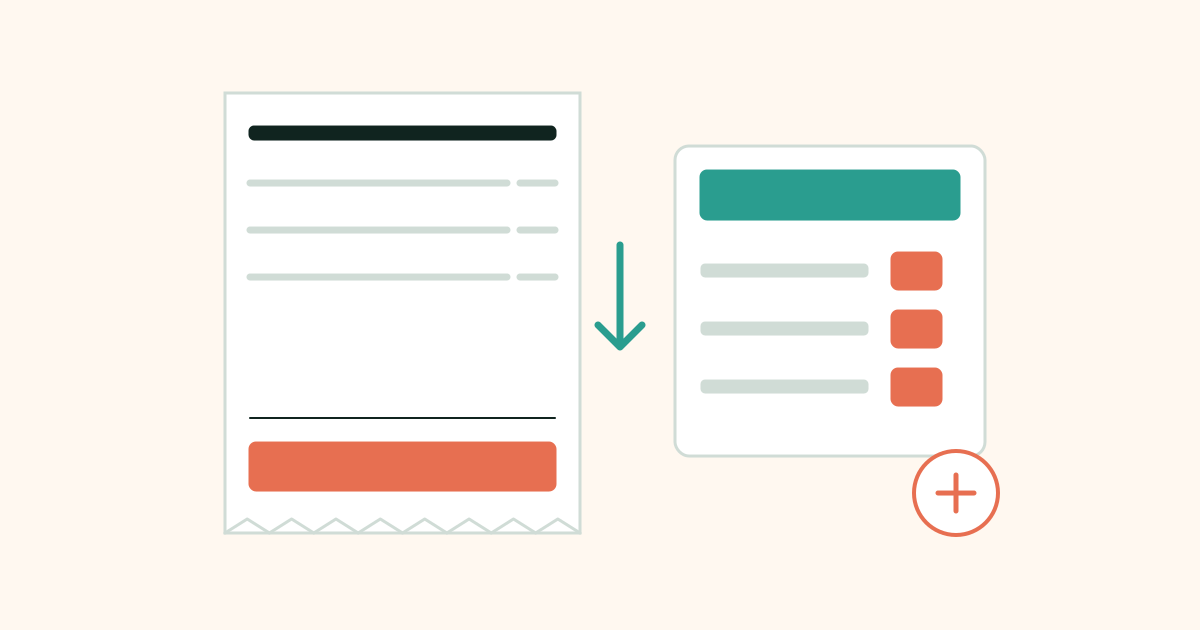
The tip calculator asks for a receipt amount that already includes any tax and service charge you itemize. Those optional fields describe portions of that amount; they are not new additions. In Add a tip mode, the extra tip is the only amount added to the existing receipt. In Tip already included mode, the fixed total already contains the extra tip being recovered.
Start with the existing receipt total, not just the food subtotal. Adding the same tax again would make the payment too large. If you want to calculate a tip on the subtotal, enter the full receipt and use the itemized fields to exclude tax and service from the base.
| Amount | Where it sits | What the tool does |
|---|---|---|
| Included tax | Already within the entered receipt | May exclude it from the selected tip base |
| Included service / gratuity | Already within the entered receipt | May exclude it from the base; never adds it twice |
| Additional tip | On top in Add mode | Calculates and adds the chosen amount |
| Recovered tip | Inside the fixed final total in Included mode | Separates it while preserving the final amount |
Compare the same rate on two bases
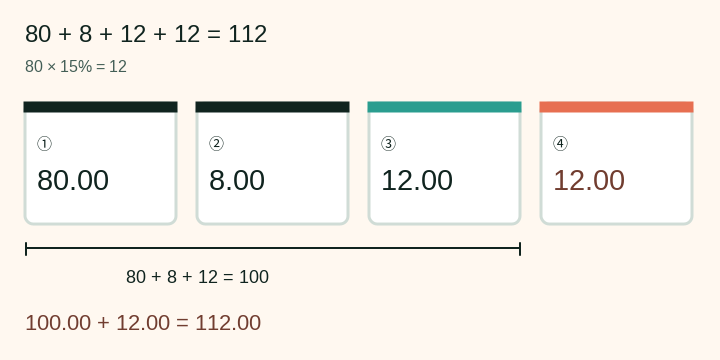
Take a hypothetical existing receipt of 107.52, including tax of 7.52 and a service charge of 12.00. The reduced percentage base is 107.52 − 7.52 − 12.00 = 88.00. At an additional 15%, the extra tip is 88.00 × 0.15 = 13.20. The final total is 107.52 + 13.20 = 120.72, which divides among three people as 40.24 each.
On the full-bill base, the same 15% is 107.52 × 0.15 = 16.128, rounded half up to 16.13. The final total becomes 123.65. That is 2.93 more than the reduced-base result. The difference comes from applying the percentage to included portions as well, not from a different service charge being added.
Recover a tip rather than subtract the wrong fraction
If a final total of 115.00 includes a 15% tip on the bill before that tip, the original bill is 115.00 ÷ 1.15 = 100.00. The tip is 115.00 − 100.00 = 15.00. Taking 15% of 115.00 would produce 17.25, which is not the tip implied by that history. The percentage was applied before the final total existed.
With excluded portions, use bill = (total + rate × included portions) ÷ (1 + rate). For the previous reduced-base example, total 120.72, rate 0.15 and included portions 19.52 give (120.72 + 2.928) ÷ 1.15 = 107.52. The base is then 88.00 and the tip is 13.20. The charge remains a distinct part of the bill.
For reverse calculation, you need the original percentage and the base it applied to. Check those details on the receipt or ask the restaurant. Entering a guessed percentage will give a mathematically consistent split, but it may not match the original bill.
A recovered amount may need cent rounding
At a fixed total of 100.00 and 15% on the full bill, division gives about 86.956522 before the tip. The tool rounds that bill half up to 86.96 and assigns the remainder of 13.04 to the tip. The components add exactly to 100.00. The realized tip percentage may differ slightly from the entered rate because money must be represented in whole minor units.
Round-up buttons are disabled in included-tip mode because the final total is fixed. Switch to Add mode if you want to increase the payment. There, the calculator keeps the bill unchanged and assigns the extra amount to the tip.
Check the local context before adding anything
Visit London’s official tipping guide describes 10–15% for restaurant meals in London when no service charge is included, and advises checking the bill before tipping twice. Brand USA's dining guidance gives 15–20% as a sit-down dining suggestion and notes automatic gratuities for some groups. These are visitor examples, not universal rules.
Currency and language settings do not identify where you are dining. Read the establishment’s service-charge line and ask about unclear terms. An included service charge and an additional tip remain separate amounts in the calculator, so you can review both before paying.
This is general information, not financial, tax or legal advice. Questions about whether a charge is compulsory or how it is distributed depend on the establishment and local rules.
Use a short receipt-reading sequence
- Locate the actual amount due and check what it already includes.
- Identify any tax and service or gratuity lines without adding them again.
- Clarify whether your intended tip is additional or already inside a final amount.
- Choose the base explicitly and review the visible bill, base and tip.
- Check the final total and every share before paying.
Included tax plus service cannot exceed the entered amount. In included-tip mode, those portions must also fit inside the recovered bill before tip; a conflicting rate is rejected. The interface reports that inconsistency and opens the itemized section so you can correct it. It never turns an impossible receipt into a negative base or a reassuring zero. The percentage chart guide shows how to compare legitimate bases without assuming one is universally required.
Keep the arithmetic distinguishable in a copy
The copied summary lists the bill, included portions, base, rate, tip, total and every share. It also identifies a round-up or an included-tip calculation. Keep those details together when sharing the numbers so the other diners can check the same assumptions.
The tool does not upload the inputs or save them automatically. Copy and download are deliberate local actions; the wider website may still include advertising and analytics. If you share a calculated receipt, include the assumptions that made it useful, especially which amounts were already inside the entered bill.
Quick answers
Is an included service charge added to the final total again?
No. It is an itemized portion of the entered receipt. Only the extra tip increases the amount in Add mode.
Does the calculator decide whether another tip is needed?
No. Read the actual receipt and local policy. Neutral presets calculate amounts without an etiquette recommendation.
Can reverse calculation prove how the restaurant formed its total?
No. It assumes the rate and selected base you enter. It cannot infer an unknown receipt policy.